Complete Guide to Creating a Mobile App in 2026
A comprehensive guide to building a mobile app in 2026, covering planning, development, costs, tools, trends, and monetization strategies.
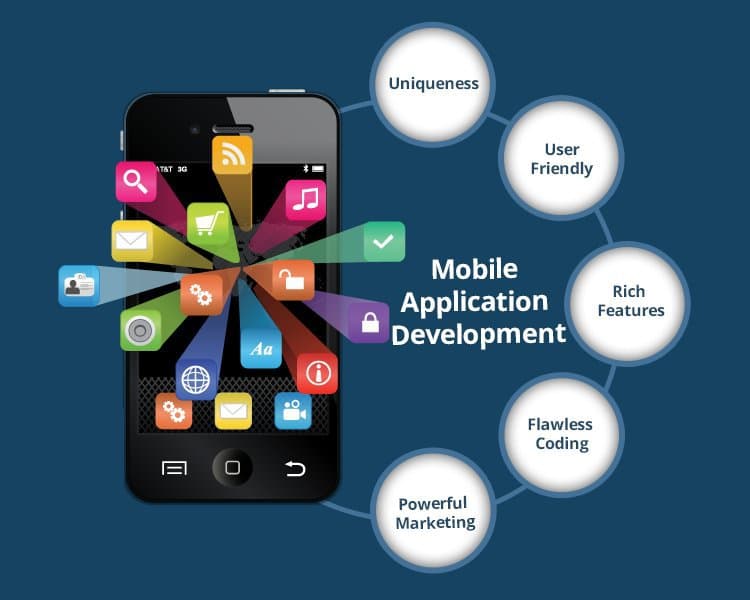
Building a mobile app in 2026 is more accessible than ever before. Whether you have a business idea, a startup dream, or simply want to learn — this guide walks you through everything you need to know, step by step.
The best time to build your app was yesterday. The second best time is right now.
Step 1: Understand the Two Main Platforms
Before writing a single line of code, you need to decide where your app will run. There are two major mobile platforms in the world today.
Android
Developed by Google, powers billions of devices worldwide with the largest global market share.
iOS
Developed by Apple, runs on iPhones and iPads. High-spending user base in North America and Europe.
In 2026, most businesses and startups target both platforms to maximize their reach and user base.
Step 2: Native vs Cross-Platform
Once you know your target platform, the next big decision is how you want to build your app — natively for each platform, or using a single shared codebase.
Native Development
Native apps are built specifically for one platform using official tools. They offer the absolute best performance and full access to every device feature.
Android Native
Kotlin / Java · Android Studio
iOS Native
Swift / Obj-C · Xcode
Best for: Apps that need peak performance, complex animations, heavy hardware use (camera, AR, GPS), or deep OS-level integration.
Cross-Platform Development
Write your code once and deploy on both Android and iOS. Saves 40–60% in development time and cost compared to building two separate native apps.
Flutter
by Google · Dart
#1 in 2026React Native
by Meta · JavaScript
KMP
by JetBrains · Kotlin
Best for: Startups, MVPs, and businesses that want to launch fast on both platforms without hiring two separate development teams.
Step 3: Technologies to Build a Mobile App
A clear overview of the most popular technologies used by developers in 2026.
| Technology | Type | Language | Best For |
|---|---|---|---|
| Flutter | Cross-Platform | Dart |
Startups, MVPs, beautiful UI |
| React Native | Cross-Platform | JavaScript |
Web devs moving to mobile |
| Swift | Native iOS | Swift |
High-performance iOS apps |
| Kotlin | Native Android | Kotlin |
High-performance Android apps |
| Expo | Cross-Platform | JavaScript |
Beginners, quick prototypes |
| Kotlin Multiplatform | Cross-Platform | Kotlin |
Shared logic, native UI |
Step 4: Tools You Need
These are the essential tools every mobile app developer — beginner or expert — needs in their workflow.
IDE / Code Editor
Android Studio · Xcode · VS Code for Flutter & React Native
Version Control
Git with GitHub or GitLab to track and manage your code changes
UI/UX Design
Figma for designing screens, wireframes, and interactive prototypes
Backend & Database
Firebase, Supabase, or Node.js for server-side logic and data storage
Authentication
Firebase Auth, Clerk, or Supabase Auth for login and user management
Testing
Android Emulator, iOS Simulator, or a real physical device
CI/CD Pipeline
Fastlane, GitHub Actions, or Bitrise for automated builds and deployments
App Distribution
Google Play Console for Android · Apple App Store Connect for iOS
Step 5: FlutterFlow — No-Code App Builder
FlutterFlow is a visual drag-and-drop platform that lets you build real Flutter apps without writing code manually. One of the most powerful and popular no-code tools in 2026.
What FlutterFlow Gives You
Drag-and-Drop Builder
Build screens like Figma, no code needed
Real Flutter Code
Clean Dart code you can export and own
Firebase Integration
Auth, Firestore & storage built-in
REST API Support
Connect any API — zero code required
Custom Code Blocks
Add Dart code when builder isn't enough
One-Click Deployment
Ship to Play Store & App Store instantly
FlutterFlow is the fastest way to go from idea to a real, working mobile app — without needing a full development team.
Best for: Founders, designers, product managers, and non-developers who want to validate and launch a real app quickly. Visit flutterflow.io to get started for free.
Step 6: Build a Mobile App Using AI
In 2026, AI has fundamentally changed how mobile apps are built. You no longer need months of experience to start — AI tools handle the heavy lifting so you can focus on the idea and user experience.
Top AI Tools for Mobile App Development
Bolt.new
Describe your app in plain text — AI generates the full working codebase instantly
Lovable
AI-powered builder that creates and iterates on your app through conversation
Cursor IDE
VS Code-based editor with built-in AI that writes, fixes, and refactors code
GitHub Copilot
AI assistant that auto-completes code as you type — live, inside your editor
FlutterFlow AI Gen
Generate complete screens and flows from a simple text description — directly inside FlutterFlow
How to Build Your App with AI — Step by Step
Define your idea clearly
Write down what your app does, who it is for, and the 3 main screens it needs
Use an AI builder
Paste your description into Bolt.new or Lovable and let it generate the base app
Review the code
Open the output in Cursor or VS Code and understand what was generated
Connect your backend
Set up Firebase or Supabase with AI assistance for database and authentication
Test on a real device
Run on an Android emulator, iOS Simulator, or your own phone
Iterate with AI
Ask Cursor or Copilot to fix bugs, add features, or improve the UI
Deploy
Submit to Google Play Store and Apple App Store
Pro Tip
AI is a powerful starting point, not a magic solution. Always review generated code, understand what it does, and customize it to fit your specific product and users.
Quick Summary — Which Path Is Right for You?
| Your Situation | Recommended Path |
|---|---|
| Complete beginner with a business idea | FlutterFlow or Bolt.new |
| Web / JavaScript developer | React Native or Expo |
| Want the absolute best performance | Swift (iOS) or Kotlin (Android) |
| Startup on a tight budget | Flutter — one codebase, two platforms |
| Want to build fast using AI | Cursor + Flutter or Lovable + Expo |
| Designer or product manager | FlutterFlow with AI Gen features |
Conclusion
Building a mobile app in 2026 has never been more accessible. You have powerful no-code tools like FlutterFlow, AI-assisted builders like Bolt and Lovable, and mature frameworks like Flutter and React Native — all available to anyone with an idea and the drive to build.
The best approach depends on your skill level, your budget, and the type of app you want to create. Start simple, validate your idea early, and build step by step. The most important thing is to start.
Frequently Asked Questions
Can I build a mobile app without coding in 2026?▼
Yes — and it has never been easier. AI builders like Lovable and Bolt.new let you describe your app in plain English and generate a working application in minutes. No-code platforms like FlutterFlow, Adalo, and Bubble let you build visually with drag-and-drop tools. For publishing native iOS and Android apps without code, Adalo is the top choice. For full-stack web apps, Lovable or Bolt are the fastest.
What is the difference between an AI app builder and a no-code platform?▼
AI app builders (Lovable, Bolt, v0) generate code from natural language prompts — you describe what you want and the AI writes it. No-code platforms (FlutterFlow, Bubble, Adalo, Glide) give you a visual drag-and-drop interface where you assemble your app from components. AI builders are faster for initial generation. No-code platforms are more visual, predictable, and easier to manage independently long term.
Flutter or React Native — which should I choose in 2026?▼
Flutter is the recommended choice for new projects in 2026. It offers near-native performance and supports iOS, Android, web, and desktop from a single codebase. React Native is the better choice if your team already knows JavaScript or React, or if you are migrating from an existing React web app. Both are mature, production-ready frameworks with large communities.